Wednesday, July 26, 2023

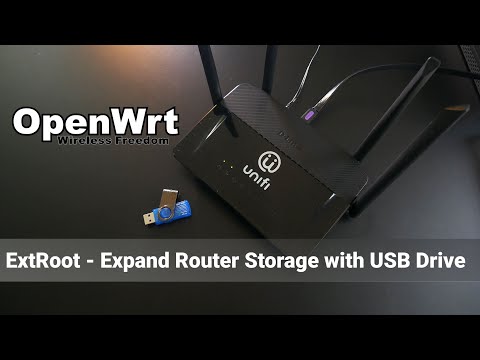
Expand storage for Openwrt router

If he router has very low storage, in my case router is DIR-842.

Here is tutorial to expend storage using USB flash drive.

 Original guide is from HERE.


Plug in flash drive into USB port.

Open terminal and excute following commands via SSH.


Step 1: Install the required packages

opkg update
opkg install block-mount kmod-fs-ext4 e2fsprogs parted

Step 2: Configure rootfs_data

Configure /etc/config/fstab to mount the rootfs_data in another directory in case you need to access the original root overlay to change your extroot settings:

DEVICE="$(sed -n -e "/\s\/overlay\s.*$/s///p" /etc/mtab)"
uci -q delete fstab.rwm
uci set fstab.rwm="mount"
uci set fstab.rwm.device="${DEVICE}"
uci set fstab.rwm.target="/rwm"
uci commit fstab

Or, you can identify the rootfs_data partition manually, if it is in an MTD partition:

grep -e rootfs_data /proc/mtd

If your rootfs_data is a UBIFS volume, the above will not work. However, the sed command at the start of the section should pick up the correct device.

The /rwm mount will not mount via block until you've already successfully booted into your extroot configuration. This is because block has a restriction to only mount from devices that are not currently mounted. And /rwm should already be mounted at /overlay. Once booted into your extroot, you can edit /rwm/upper/etc/config/fstab to change your extroot configuration (or temporarily disable it) should you ever need to.


Step 3: Configure exroot

First command is to define the DEVICE. B'coz the following command will be using DEVICE instead of /dev/sd*.

Second command is (OPTIONAL!) to format the flashdrive to ext4 format and name it as extroot. 

DEVICE="/dev/sda1"
mkfs.ext4 -L extroot ${DEVICE}


Now we configure the selected partition as new overlay via fstab UCI subsystem:

eval $(block info ${DEVICE} | grep -o -e "UUID=\S*")
uci -q delete fstab.overlay
uci set fstab.overlay="mount"
uci set fstab.overlay.uuid="${UUID}"
uci set fstab.overlay.target="/overlay"
uci commit fstab


Step 4: Transferring data

mount ${DEVICE} /mnt
tar -C /overlay -cvf - . | tar -C /mnt -xf -
reboot


Video tutorial:


Config OpenWRT for UNIFI ISP (Malaysia)

 This tutorial only guide for setup an internet connection. Not for IPTV.


Step 1:

 Login into your Openwrt router.


Step 2: Create VLAN

Navigate to Network =>Swtich. Press add VLAN and type 500 into VLAN ID. Then select "tagged" for CPU and WAN. Press save and apply.


Navigate to to Network => Interface. Press edit on WAN then change to protocol PPPOE and eth0.500 as device. Key in your unifi username and password. Press SAVE and SAVE & APPLY.
Within 1 minutes, you should have your internet connection working. 


Step 3: Incase wifi connected but no internet
Navigate to to Network => Wireless, press edit on wifi adaptor. In the Genenal Setup, select lan and wan as a network. Press save and apply.


How to flash Openwrt firmware into DIR-842 (std UNIFI router)

This tutorial valid for router DIR-842 C1, DIR-842-C2 and DIR-842-C3.

Original source is from HERE. You need to download factory firmware and sysupgrade firmware.

Rename the downloaded files into shortest name eg factory and sysupgrade, or else the flash might have error.


Step 1:

Connect your laptop/pc into lan port and the other side plug into any lan port on router. NOT PLUG INTO WAN PORT! Set laptop/pc ip address to 192.168.0.10, 255.255.255.0

Turn router power off. Then press and hold reset button underneath the router.

Then power on, wait until the led blink about 1 second on 1 send off repetedly.


Step 2 :  How to flash factory firmware:

Go to your web browser and type ip address of the router which is 192.168.0.1.

Press browse and select the downloaded factory firmware and press flash.

The flashing start and countdown timer will display in the browser. Wait until timer completed.

DO NOT POWER OFF OR RESET THE ROUTER!


Step 3 :  How to flash sysupgrade firmware:

Change laptop/pc ip address to 192.168.1.10, 255.255.255.0 and open powershell terminal then execute following command.

scp sysupgrade.bin root@192.168.1.1:/tmp/
ssh root@192.168.1.1
sysupgrade -v /tmp/sysupgrade.bin
ssh root@192.168.1.1
opkg update
opkg install luci
reboot

The below video you show you step by step (good for beginner who is new to OpenWrt)


Monday, March 21, 2022

Cara Setup Transmission Server di Raspberry

 Assalamualaikum dan salam sejahtera. Tujuan saya buat posting ni adalah untuk simpanan peribadi di samping berkongsi ilmu. Setiap kali saya nak setup semula, setiap kali tu lah terpaksa membelek blog & forum forum di internet.

Jadi saya kumpulkan di sini cara-caranya untuk rujukan saya di kemudian hari. Untuk menjalankan Transmission server, ada 3 bab yang diperlukan (saya tidak cover cara nak setup RasPi).

1- Mount external storage pada RasPi

2- Setup transmission 

3- Setup samba


Bab 1: Mount external storage

Oleh kerana sistem Raspi yang saya gunakan ini tanpa GUI, adalah penting untuk kita mount external storage supaya mounting point adalah tetap dan tidak berubah apabila setiap kali reboot.

Setiap device ada unik UUID, jadi saya akan gunakan UUDI device tersebut untuk di daftarkan pada mounting point. Cucuk sahaja external device pada RasPi, kemudian dari terminal taip df -h.

Kemudian akan keluar list storage yang ada di RasPi. Storage yang akan saya gunakan adalah /dev/sdb1. 


Saya taip pula sudo blkid /dev/sdb1 untuk dapatkan UUID storage tersebut. UUID storage adalah fe5b1c8a-cc66-d701-f048-1c8acc66d701. Copy tanpa " ". Dan jenis storage adalah ext4. Sekiranya storage adalah jenis NTFS atau exFAT, kene install program tambahan untuk baca storage tersebut sudo apt install ntfs-3g atau sudo apt install exfat-fuse .


Langkah seterusnya adalah create folder dalam RasPi OS untuk saya mount external storage  sudo mkdir -p /mnt/NAS1 dah sudo chown -R pi:pi /mnt/NAS1 untuk tukar ownership folder berkenaan. 


Seterusnya saya perlu edit fail fstab untuk daftarkan UUID pada folder /mnt/NAS1 yang saya buat tadi. 
sudo nano /etc/fstab dan tambahkan ayat seperti berikut. Edit UUDI dan TYPE seperti yang saya dapatkan pada langkah sebelum ini. UUID=fe5b1c8a-cc66-d701-f048-1c8acc66d701 /mnt/NAS1 ext4 defaults,auto,users,rw,nofail,noatime 0 0

Kemudian untuk mengaktifkan proses mounting point, taip sudo umount /dev/sdb1 , (ubah sdb1 berdasarkan storage yang digunakan) untuk remove storage dan  sudo mount -a untuk masukkan kembali storage di mounting point yang telah di buat tadi.

Selesai Bab 1.


Bab 2: Setup Transmission

Bab 3: Setup Samba


Monday, March 18, 2019

Alternative drive belt for Yamaha Nouvo S, Nouvo Z, Nouvo MX, Ego, Mio

Bismillah.

It's been a while since scooterist start using this type of belt. It was not meant for scooter.

But, I like alternatif item. So I decide to try it. 

The belt is BANDO 5320. It had narrower width, 17mm and length 785mm.

Orignal drive belt is 18mm width and 828mm length.

Bearings for Yamaha Nouvo S, Nouvo Z, Nouvo MX, Ego, Mio gearbox and wheel

Bismillah. 


Few days ago, my nouvo had a rough sound from rear section. I also can felt abnormal vibration.


I suspect the real wheel bearing had worn out. 

So I decide to replace the wheel bearing. Instead of replacing wheel bearing only, I'll change all bearing inside gearbox as well.


The bearings code as per picture below. I choose bearing with C3 clearance, NTN brand and of course Made In Japan. 


It felt a lot smoother now after replaced all the bearings.


By the way, it's good to replace wheel shaft oil seal together with wheel bearing. Oil seal measurement as below.

Friday, November 23, 2018

Skuter Starter Diagram

Assalamualaikum guys.

Bismillah.  Untuk pengguna skuter, elektrik starter amatlah penting. Kerosakan starter ibarat kerosakan major pada skuter tersebut.


Kalau pengguna skuter yang ade masalah dengar elektrik starter, korang boleh rujuk diagram starter ni. Tak perlu lah tanya kat online @ media social. Bukan semua ade kuasa magik @ ilmu hitam untuk meneka kerosakan pada sistem elektrik starter.


Common problem pada sistem starter ialah:

1- bateri

2- relay starter

3- suis tangan (boleh servis)


Boleh cek 1 persatu part mana yang rosak. Kalau tak tau nak cek, hantar jer kedai. Biar pomen jer yang cek.


Sunday, October 28, 2018

Asas Tuning Karburetor

Bismillah dan Assalamualaikum. Dah lama sangat blog ni sunyi sepi. Tak banyak aktiviti teknikal yang belaku sepanjang kesepian itu. Ada sikit-sikit yang aku buat tu aku letak kat FB. 
Itu yang tak ter'update' blog ni. Kali ni aku letak sket info pasal tuning carburetor. Sebab sekarang banyak projek aku lebih kepada restore & upgrade skuter Nouvo S.


Ok, asalnya aku nak letak info ni kat blog ni. Tapi memandangkan FB lebih ramai crowd dan dapat tengok live respon,so aku letak kat FB dahulu. Tak sangka ramai pulak yang yang share. 


Kali ni aku nak berbicara & membuat tutorial tentang cara-cara nak setting carburetor bermula dari awal.
Penulisan aku kali ini adalah berdasarkan pengalaman aku sendiri dah hasil belajar dari internet.
Tanpa ade ilmu dan pengalaman, setting carburetor sangat menjerihkan dan boleh mematahkan semangat.


Ni spec mesin aku:-
Enjin Nouvo S bore-up ker 58.5mm menjadikan kapasiti enjin bersesaran 155cc
Cam potong Thai brand Panom
Carburetor Keihin Sudco PWK28 (imitation).
Pilot jet 38.
Main Jet 115.
Jarum takuk 2 dari bawah.

Info penting:-
Pilot jet: menentukan jumlah petrol ketika idle
Needle jet: menentukan jumlah petrol ketika 1/4 hingga 3/4 throttle
Main jet: menentukan jumlah petrol ketika 3/4 hingga full throttle
Idle screw: menentukan enjin rpm pada idle.

Step 1: Adjust pilot jet.
Pilot jet adalah alat yang menentukan jumlah pengeluaran petrol pada kedudukan idle.
Pilot jet berpasangan dengan Air Mixture Screw (AMS). AMS ni yang mengawal kuantiti petrol yang keluar dari pilot jet.
Pusingan AMS ni menentukan jumlah angin yang masuk ker carb dan bawa petrol melalui pilot jet.
Kedudukan terbaik AMS adalah pusing arah lawan jam sebanyak 2 setengah pusingan.
Cara-caranya:- Mula dengan menggunakan pilot jet yang telah sedia di pasang di carb, ataupun rujuk balik saiz pilot jet carb asal.
Pusing AMS arah jam sehingga ketat, tapi jangan sampai terlampau ketat.
Kemudian pusing AMS lawah arah jam sehingga 2 setengah pusingan. Jangan lebih dari 3 pusingan.
Bila lebih dari 3 pusingan, petrol yang keluar dari pilot jet dah maksimum.
Dah boleh start enjin. Kalau pilot jet dah ngam, enjin senang hidup. Tak perlu pulas minyak pun masa start enjin boleh hidup.
Pilot jet yang besar, enjin agak susah hidup dan akan nampak keluar asap hitam dari ekzos.
Pilot jet yang kecil, enjin senang hidup walaupun tak pulas minyak. (aku suka setting lean).
Carb ngan enjin aku paling sesuai guna pilot jet 38 walaupun agak lean. Cold start pun senang.
Start enjin nak gi solat suboh x yah pulas minyak pun.
Aku dah try guna pilot jet dari 38, 40, 42.5 & 45.
38 adalah yang terbaik(datang sekali dengan carb).


Step 2:- Adjust main jet.
Aku skip needle jet. Aku terus pergi ker adjust main jet dulu. Sebab ade carb yang tak boleh adjust needle jet.
Cara-caranya:- aku mula dengan bertanya orang lain yang pakai spec lebih kurang sama. Ade yang bagitau pakai main jet 125, 140 etc.
Main jet yang datang dengan carb ialah saiz 120. Ok, mulakan dengan main jet yang datang dengan carb tu.
Bila enjin dah dapat idle, boleh pulas-pulas minyak. Test dengar bunyi dan perhatikan ekzos.
Tengok ada asap hitam keluar dari ekzoz ker tak. Main jet besar, petrol keluar pun banyak.
Kalau ade asap hitam, main jet tu terlebih besar. Kemudian bawak moto pusing-pusing.
Korang boleh rasa prestasi enjin. Bertambah atau berkurang.
Petrol lebih jugak buat enjin sebu sebab petrol tak habis terbakar.
Cara lain ialah cek warna plug. Paling cantik warna coklat terang.
Warna plug ni kene bukak bab lain. Panjang nak ulas.
Belum masuk bab stoichiometric ratio lagi.
Kalau main jet kecik pulak, enjin moto akan rasa semput bila pulas minyak disebabkan tak cukup petrol.
Kadang-kadang ade moto yang rasa mantap walaupun guna main jet kecik. Tapi awas, tak cukup petrol boleh menyebabkan enjin overheat.
Lebih parah lagi ade piston yang mengecut akibat panas melampau.
Untuk enjin aku, main jet 115 paling sesuai bila aku masuk high cam.
Kalau pakai cam standard, main jet 110 terbaik.
Kenapa guna high cam nak kene besarkan main jet?
Sebab high cam menyebabkan valve lift lebih tinggi dan duration cam menyebakan valve terbuka lebih lama.
Kesimpulannya high cam akan menjadikan enjin menerima lebih banyak udara.
Itu yang aku faham dan yang aku alami. Kalau korang ade pendapat lain, suka hati korang lah. Aku pun bukanya pandai sangat.


Step 3:- Adjust needle jet.
Yang ni untuk carb yang ade takuk dan boleh adjust needle jet sahaja.
Cara-caranya:- Bila pilot jet & main jet dah ngam, baru boleh adjust needle jet.
Biasanya needle jet ni ade 5 takuk. Mula dari takuk yang tengah. Lebih tinggi takuk, petrol jadi lean. Lebih bawah takuk, petrol jadi rich.
Ikut pengalaman aku, setting takuk tengah dah ok. Tapi aku nak petrol rich sket masa 1/4 throttle tu.
Dan aku rasa enjin lebih memberi respon pakai 1 takuk lebih bawah.
Kesimpulan dari aku, aku teramat puas hati dengan prestasi carb dan setting sekarang.


P/s: Senang jer aku tulis kan. Hakikatnya dekat sebulan aku setting carb, sebab aku tak pandai. Sikit-sikit aku adjust.
Sampai satu tahap, nak tune carb aku terpaksa hidupkan kete, ambil kabel jumper dan sambung ker beteri moto aku.
Sebab beteri moto aku dah kong, start moto asyik tak hidup-hidup.
Kick start aku pun jahanam, spring kick start patah dan tak larat weh nak tendang sampai enjin hidup.
Sekarang aku dah buang terus kick start, spring kick start pun dah patah.
Enjin pun dah senang nak hidup, hati dah ade senang.
Tapi aku standby jumper cable dalam box moto, mane tau kot 1 hari nanti nak kene jumper lagi.
Sekian coretan dari aku. Sharul Hakimi

Wednesday, May 17, 2017

4AGE20V Blacktop ecu diagram

This is my first post in 2017. After long time in my folder, it's time to share with you. Please use and abuse it.

Below is original diagram which I found from Russian forum.


And here is diagram which I've translate into English.


Saturday, July 16, 2016

Life in Jubail, Part 2: Iqama

For iqama application, nothing much can be done by expatriate. Expatriate/employee only need to go for medical checkup. For me, I have go thru 2 medical checkup. 1 for company purpose, and the other 1 is for iqama application. Company will arrange for iqama application.
Please make sure all the spelling in iqama, english or arabic is 100% CORRECT. Or else you will face other problem like cannot create bank account like me.

Bagi permohonan Iqama, tidak banyak yang boleh dilakukan oleh seorang pegawai dagang. Pegawai Dagang / pekerja hanya perlu pergi untuk pemeriksaan perubatan. Bagi saya, saya perlu pergi melalui 2 pemeriksaan kesihatan. 1 untuk tujuan syarikat, dan lain-lain 1 adalah untuk permohonan Iqama. Syarikat akan menguruskan permohonan Iqama.
Sila pastikan semua ejaan dalam Iqama, bahasa inggeris atau bahasa arab adalah 100% BETUL. Atau anda akan menghadapi masalah lain seperti tidak boleh mencipta akaun bank seperti saya.

Life in Jubail: Intro

On 7th May 2016, I officially move to Jubail, an eastern province in Saudi Arabia. In these series of post, I will write about important thing of what to do here.

First of all, make an international driving permit from origin country. For me, I went to Jabatan Pengangkutan Jalan, Malaysia. Bring only one passport photo and pay RM150 for one year.

When arriving here, please be prepare long queue and take long time to pass immigration process especially for first time visitor. 1 hour is consider a very lucky short hour to pass the queue.

Next step is to get Saudi simcard. To get the simcard, it need to be registered under Iqama. Iqama is an ID card for PR. So you need your friend or relative to register simcard under his/her iqama.

Phone number is most important thing. It will use to register with banks, MOI etc.


Pada 7 Mei 2016, saya secara rasmi berpindah ke Jubail, sebuah wilayah timur di Arab Saudi. Dalam siri post, saya akan menulis mengenai perkara yang penting apa yang perlu dilakukan di sini.

Pertama sekali, membuat permit memandu antarabangsa dari negara asal. Bagi saya, saya pergi ke Jabatan Pengangkutan Jalan, Malaysia. Bawa hanya sekeping gambar dan membayar RM150 untuk satu tahun.

Apabila tiba di sini, sila dapat menyediakan barisan panjang dan mengambil masa yang lama untuk lulus proses imigresen terutamanya untuk pelawat kali pertama. 1 jam mempertimbangkan jam pendek sangat bertuah untuk lulus barisan.

Langkah seterusnya adalah untuk mendapatkan simkad Saudi. Untuk mendapatkan simkad, ia perlu didaftarkan di bawah Iqama. Iqama adalah kad ID untuk PR. Jadi, anda perlu rakan atau saudara anda untuk mendaftar simkad bawah / Iqama beliau.

Nombor telefon adalah perkara paling penting. Ia akan gunakan untuk mendaftar dengan bank-bank,  MOI dan lain-lain. 

Life In Jubail, Part 1: Register with SCE

SCE is Saudi Council of Engineer. For those who come to saudi using engineer visa, he has to register with SCE before can apply for Iqama.

First, you need to register with SCE via thier WEBSITE and fill up form. Here is documents needed for the registration.

  1. Academic transcript
  2. Attested academic transcript
  3. Degree certificate
  4. Attested degree certificate
  5. Letter of good conduct
  6. Passport copy
  7. Visa copy
  8. Confirmation letter from university
  9. Employment offer letter
  10. Introduction letter from company
  11. Prove of payment
This registration also need to pay some amount of money thru SADAD. Again, friend and relative help needed for this payment. Only people with has account bank in saudi can pay thru sadad.


SCE adalah Saudi Majlis Engineer. Bagi mereka yang datang ke saudi menggunakan visa jurutera, dia mempunyai untuk mendaftar dengan SCE sebelum boleh memohon Iqama.

Pertama, anda perlu mendaftar dengan SCE melalui WEBSITE mereka tanpa bergantung dan mengisi borang. Berikut adalah dokumen yang diperlukan untuk pendaftaran.


  1. Transkrip akademik
  2. transkrip akademik disahkan
  3. Sijil ijazah Sarjanamuda
  4. sijil ijazah disahkan
  5. Surat berkelakuan baik
  6. salinan pasport
  7. salinan visa
  8. Surat pengesahan dari universiti
  9. Employment surat tawaran
  10. Surat Pengantar dari syarikat
  11. Bukti bayaran


Pendaftaran ini juga perlu membayar sejumlah wang melalui Sadad. Sekali lagi, rakan dan membantu saudara yang diperlukan untuk pembayaran ini. Hanya orang yang mempunyai mempunyai bank akaun di saudi boleh membayar melalui Sadad

Life in Jubail, Part 3: Bank Account

To  create a bank account, they need few documents. Which is;

  1. Passport copy
  2. Iqama original
  3. Salary certificate from company
Then go to selected bank to open an account. It may take whole day to completed. Please be prepare.
Once completed, online bank account can be register and activated. Phone number is important to bank send login pin.

In order to transfer money to oversea, beneficiary has to be added into online account. Then it need to activated. For my case, I use SABB bank. I need to call customer service to activate the beneficiary.
OR, go to SABB teller counter for manual transfer. On the transfer form, TICK add and activate beneficiary account.


Untuk membuat akaun bank, mereka memerlukan beberapa dokumen. Iaitu;


  1. salinan pasport
  2. Iqama asal
  3. sijil gaji daripada syarikat


Kemudian pergi ke bank terpilih untuk membuka akaun. Ia mungkin mengambil masa sepanjang hari untuk selesai. Sila menyediakan.
Setelah selesai, akaun bank dalam talian boleh mendaftar dan diaktifkan. Nombor telefon adalah penting untuk pin bank login menghantar.

Dalam usaha untuk memindahkan wang ke luar negara, penerima perlu ditambah ke dalam akaun dalam talian. Kemudian ia perlu diaktifkan. Bagi kes saya, saya menggunakan SABB bank. Saya perlu menghubungi perkhidmatan pelanggan untuk mengaktifkan waris.
OR, pergi ke SABB kaunter juruwang untuk pemindahan manual. Pada borang pemindahan, TANDAKAN menambah dan mengaktifkan akaun benefisiari.

Saturday, August 22, 2015

MIUI Rom no play store?

If you are 1 of MIUI user out there or wanna try MIUI roms to your smartphone, please remember that MIUI rom did not come with pre installed google apps.

So after installing or full wipe your phone, you will not find google play in the OS.


There is 2 methode of installing google apps into MIUI.

Methode 1- install Google Installer apk. Open the app and install google apps one by one. You can choose which apps you want to install. It can be download HERE.
 Note: from my experience, this methode work but calender sync & contact sync seem did not work.

Methode 2- use flashable gapps (google apps). It can be download HERE.
 It has a veriety of gapps package. Please read all the op write. Choose suitable package that you need. To flash the gapps, reboot to recovery mode, select gapps which you download earlier. Reboot to system after finish. Thats it. Now you can sign in to google.


Tuesday, April 14, 2015

Trunk Release Diagram

Assalamualaikum,

This is entry about how to add a trunk release using aftermarket cheap alarm.

Disclaimer:-
The circuit diagram are my only suggestion, I have not test it in real situation or real circuit. It might work or it might not. I do not take any responsibility for any injury or any other losses. Do at your own risk.


How this circuit work :-

In order to this circuit work, you need to have 2 button remote for door lock. 
By pressing lock button, it will trigger left relay, charge the capacitor and trigger middle relay.
Within a few second, you need to press UNLOCK button to trigger right relay and release door lock as well release trunk.

Note: this diagram only suitable if the remote use negative trigger. If remote use positive trigger, right and left relay can be eliminate. You may also use another relay for trunk release.

0018 14/04/2015

Monday, March 16, 2015

AIRCON (DOUBLE) FAN / CONDENSER FAN


Semua maklum cuaca kat negara kita ni panas. Jadi sistem aircon kereta akan rasa kurang sejuk bilamana dalam keadaan trafik jem atau sebagainya.
Ramai orang dah menambak baik sistem aircon tersebut dengan menambah satu lagi kipas di di hadapan condensor untuk membantu menyejukan condensor. Contohnya, dalam gambar di atas adalah Produa Myvi dah sudah dipasang kipas tambahan. (Gambar di ambil dari SINI).

Oleh itu, condensor akan cepat sejuk dengan adanya kipas tambahan tersebut. Akan tetapi, saya mendapati terdapat kesan sampingan dengan modifikasi ini. Memanglah aircon cepat sejuk,  memang sejuk pun. Bukak aircon level 2/5 pun dah sejuk. Tetapi dengan modifikasi ini, radiator juga akan lebih sejuk dari biasa (normal operating temperature).

Bagus la kan air dalam radiator lebih sejuk, kurang peluang untuk overheat. Jika keadaan enjin/radiator tu dalam keadaan sihat, suhu air lebih sejuk adalah tidak baik. Ini kerana, apabila coolant sensor detect suhu air lebih sejuk, ECU akan pergi ker 'warming up' mode. Idle RPM lebih tinggi dan petrol yang dipancutkan kedalam sistem pembakaran juga lebih banyak.

Sama jugak dengan situasi bila dibuang termostat coolant. Memang enjin akan rasa lebih pikap disebabkan RPM lebih tinggi, tetapi penggunaan petrol juga akan lebih banyak dari biasa.


Update 14/04/2015
Apabila relay kipas tambahan di tap pada kipas radiator, sistem pengawalan kipas radiator telah tidak menjadi normal. Kipas masih lagi berpusing beberapa saat setelah kompresor telah mati. Keadaan normal ialah, kipas berhenti berpusing bersama kompresor.

Untuk mengelakkan perkara di atas belaku, relay kipas tambahan boleh di tap pada wayar power kompressor.


Monday, January 12, 2015

Vacuum booster for brake servo


My brake car perform poorly.
Previously I have replace single layer  servo with double layer servo.
But I seem it did not change anything.
Then I remember there is an aftermarket product (2nd picture) to increase vacuum for brake servo.

I use water bottle to replicate that product.

Connect a hose to the bottle end and the other hose connect to brake hose (connect after one way valve).

AAs a result, I can feel better brake performance and less use feet power to brake.

Door Unlock Switch


Usually in old car and using aftermarket alarm, there is no dedicated switch to unlock door.
So people put a reset switch at a dashboard to unlock the door without pulling the unlock knob.
When I replace alarm into my car, I have extra reset switch and I use that switch as door unlock switch. 


It's very convenient place to put unlock switch instead put it at dashboard.

Sunday, November 2, 2014

Cara untuk tambah chanel baru ke dalam Dreambox

Cara nak add@edit chanel kat dreambox
-tekan butang biru
-pilih bouquet
-add service
-pilih tv
-astro
-service
-select chanel(chanel merah tu dah ade dalam bouquet. Pilih yg kaler putih)

Nanti chanel yg baru tambah tu duk bawah sekali

Nak edit position chanel baru tu,
-tekan ok 2x
-tekan menu
-enable move edit
-select chanel yg nak move
-pilih position yang sesuai

Selesai

Expand storage for Openwrt router

If he router has very low storage, in my case router is DIR-842. Here is tutorial to expend storage using USB flash drive.  Original guide i...