Showing posts with label openwrt unifi dir-842. Show all posts

Wednesday, July 26, 2023

Config OpenWRT for UNIFI ISP (Malaysia)

 This tutorial only guide for setup an internet connection. Not for IPTV.


Step 1:

 Login into your Openwrt router.


Step 2: Create VLAN

Navigate to Network =>Swtich. Press add VLAN and type 500 into VLAN ID. Then select "tagged" for CPU and WAN. Press save and apply.


Navigate to to Network => Interface. Press edit on WAN then change to protocol PPPOE and eth0.500 as device. Key in your unifi username and password. Press SAVE and SAVE & APPLY.
Within 1 minutes, you should have your internet connection working. 


Step 3: Incase wifi connected but no internet
Navigate to to Network => Wireless, press edit on wifi adaptor. In the Genenal Setup, select lan and wan as a network. Press save and apply.




How to flash Openwrt firmware into DIR-842 (std UNIFI router)

This tutorial valid for router DIR-842 C1, DIR-842-C2 and DIR-842-C3.

Original source is from HERE. You need to download factory firmware and sysupgrade firmware.

Rename the downloaded files into shortest name eg factory and sysupgrade, or else the flash might have error.


Step 1:

Connect your laptop/pc into lan port and the other side plug into any lan port on router. NOT PLUG INTO WAN PORT! Set laptop/pc ip address to 192.168.0.10, 255.255.255.0

Turn router power off. Then press and hold reset button underneath the router.

Then power on, wait until the led blink about 1 second on 1 send off repetedly.


Step 2 :  How to flash factory firmware:

Go to your web browser and type ip address of the router which is 192.168.0.1.

Press browse and select the downloaded factory firmware and press flash.

The flashing start and countdown timer will display in the browser. Wait until timer completed.

DO NOT POWER OFF OR RESET THE ROUTER!


Step 3 :  How to flash sysupgrade firmware:

Change laptop/pc ip address to 192.168.1.10, 255.255.255.0 and open powershell terminal then execute following command.

scp sysupgrade.bin root@192.168.1.1:/tmp/
ssh root@192.168.1.1
sysupgrade -v /tmp/sysupgrade.bin
ssh root@192.168.1.1
opkg update
opkg install luci
reboot

The below video you show you step by step (good for beginner who is new to OpenWrt)


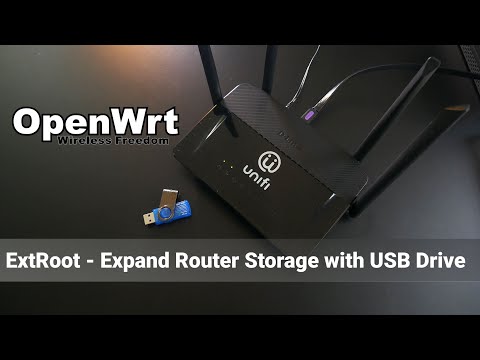
Expand storage for Openwrt router

If he router has very low storage, in my case router is DIR-842. Here is tutorial to expend storage using USB flash drive.  Original guide i...